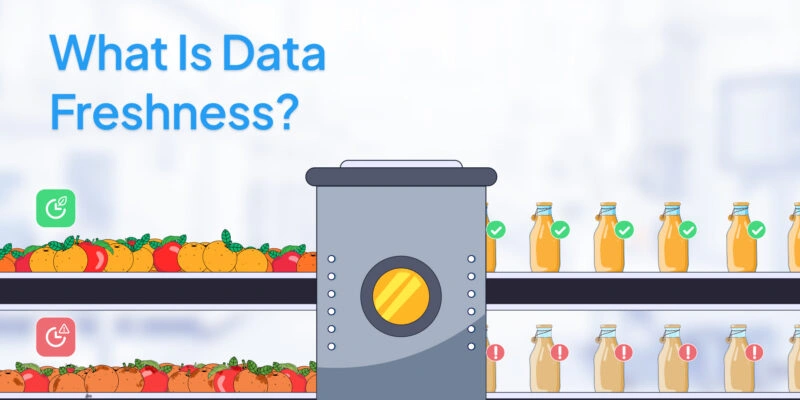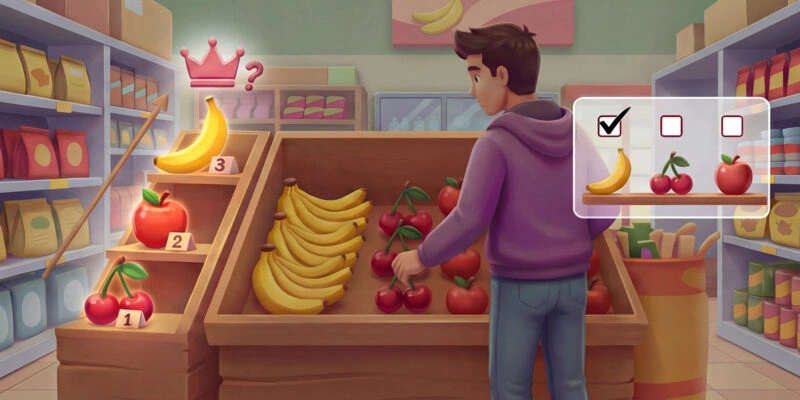


Imagine trying to bake a cake with flour that expired last year. The recipe stays the same, but the results are unpredictable. Machine-learning models behave the same way when the data feeding them goes stale. The code doesn’t change, but stale data leads to weak predictions. In this article, we’ll show you why data freshness is the secret ingredient that keeps models accurate and businesses ahead.
We’ll break down the difference between freshness and timeliness, explain how to measure data freshness, and walk you through a clear, hands-on playbook to make sure your pipelines always serve up the freshest data possible.
What Is Data Freshness, and Why Does It Matter?
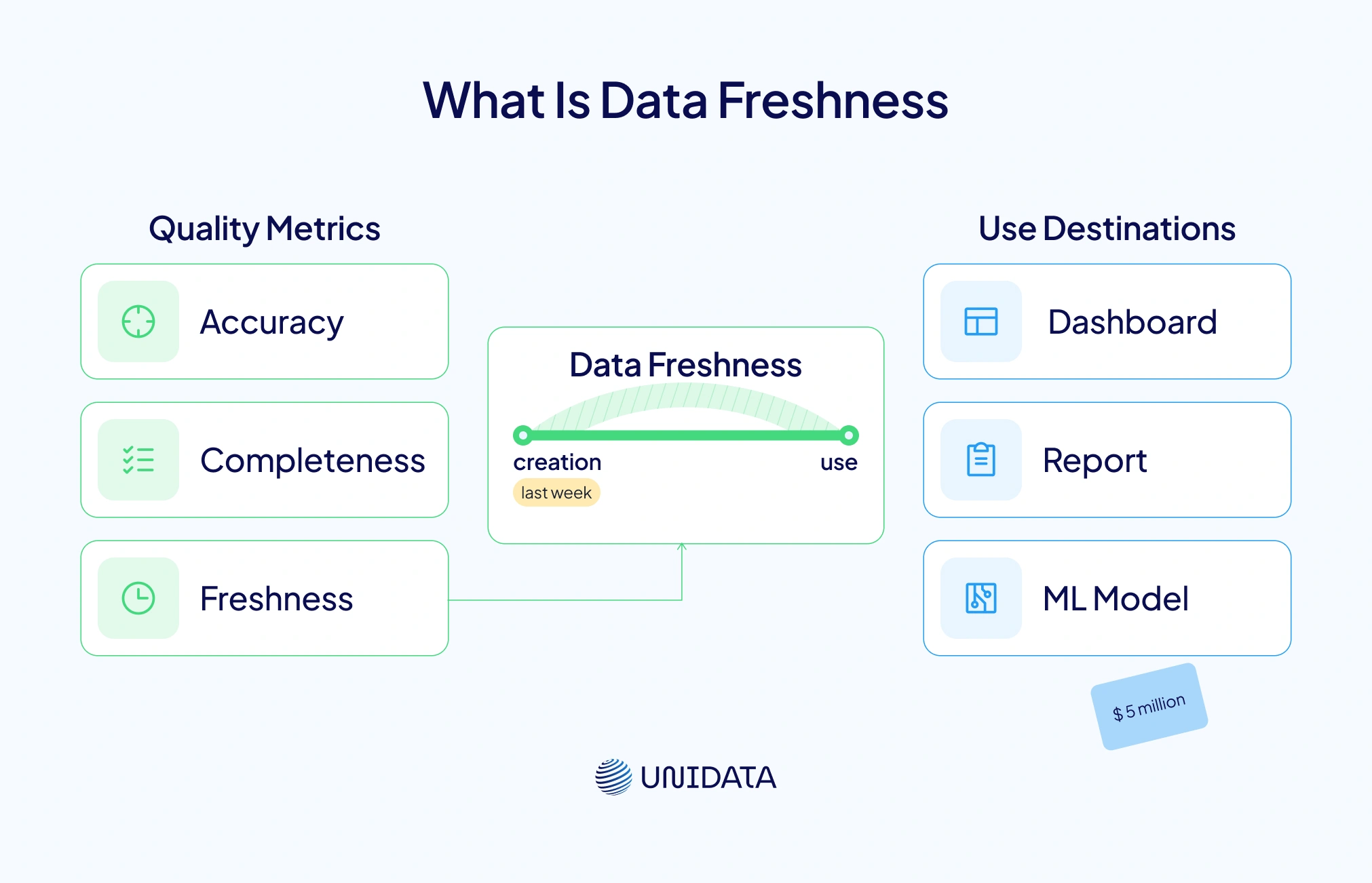
Data freshness shows how closely data reflects the current state of reality. It’s not the same as accuracy or completeness. Accuracy checks if the data is correct and free of mistakes. Completeness asks if all the needed fields are there. But freshness is about time. It measures how long it takes for data to move from creation to use — in dashboards, reports, or machine learning models. The team at Metaplane explains that freshness is different from timeliness, recency, and latency. Timeliness is about hitting delivery targets. Recency looks at when the data was collected. Latency tracks the delay between data creation and when it becomes available for use (metaplane.dev).
So, why does this time gap matter? Because fresh data powers sharper decisions and better customer experiences. Monte Carlo, a leader in data observability, notes that not every dataset needs real-time updates. Some metrics work just fine with daily or weekly refreshes (montecarlodata.com). But if a recommendation engine uses old user data from last week, its suggestions might fall flat. And stale data isn’t just a UX issue. Monte Carlo shares a case where a U.S. retailer lost $5 million after training a machine-learning model on outdated data (montecarlodata.com). In critical fields like fraud detection or healthcare, that kind of lag can be dangerous. One missed signal could let fraud slip through — or delay help during a medical crisis (tecton.ai).
Data Freshness vs. Timeliness, Recency, and Latency

To make sense of data freshness, it helps to contrast it with related terms:
- Freshness – How accurately data reflects the current state; it is critical for decision quality. Example: using minute‑old sensor data to optimize a production line.
- Timeliness – Whether data arrives within an expected time window; a report delivered every hour is timely, even if the data is three hours old.
- Recency – How recently data was created. A two‑day‑old dataset may be recent enough for quarterly planning but not for an online advertising campaign.
- Latency – The time between data generation and its availability. High latency slows down time‑sensitive analytics.
Understanding these distinctions helps set realistic expectations. A weather report from two hours ago may be both timely and recent, yet it may not be fresh enough for a critical flight routing decision.
How Data Freshness Impacts Machine‑Learning Models
Machine-learning models learn patterns from past data. But their real-world performance depends on how well that training data matches what the model sees today. When the input data changes over time, we call it data drift. This drift is a top reason why models lose accuracy in production (pmc.ncbi.nlm.nih.gov). Medical AI research shows that even small input changes can hurt accuracy (pmc.ncbi.nlm.nih.gov). Fresh data helps reduce drift by keeping the model updated with current patterns.
For real-time systems, feature freshness is key. Tecton defines it as the time between when new data arrives and when a model can use it (tecton.ai). In fraud detection, even a few minutes of delay can hide suspicious activity. In product recommendations, stale clickstream data leads to bad suggestions. In face recognition, old demographic data may cause systems to misidentify users. Freshness helps models follow user behavior and shifts in the market.
For businesses, fresh data delivers three big benefits:
- Decision velocity – Faster refreshes help teams react to change quickly.
- Reduced model drift – Regular updates keep training data aligned with the real world.
- Improved user experience – Fresh recommendations and alerts keep users engaged.
Categories of Data Freshness
Freshness exists on a spectrum. Metaplane categorizes data freshness levels with typical lags and use cases:
| Freshness Level | Typical Lag | Example Use Case |
|---|---|---|
| Real‑time | <1 minute | Fraud detection, stock trading |
| Near real‑time | 1–15 minutes | Customer personalization, live dashboards |
| Hourly | 30–90 minutes | Operational KPIs, supply‑chain monitoring |
| Daily | End of day | Sales reports, marketing performance |
| Weekly/Monthly | >1 day | Financial reports, strategic planning |
Not every dataset needs subsecond freshness. The key is aligning refresh frequency with business value.
Measuring Data Freshness: Metrics That Matter

You can’t fix what you can’t measure. That’s why data teams track key freshness metrics. Experts like Metaplane and Elementary recommend watching the following (metaplane.dev; elementary-data.com):
- Data age – This is how old your latest record is, based on its timestamp.
- Source-to-destination lag – This tracks how long it takes data to move from the source to your warehouse or lake.
- Expected update frequency – Compare how often a table should refresh versus how often it actually does.
- Cross-dataset corroboration – Check for consistency across related datasets. If click counts drop in one table but not another, something’s off.
- Data decay – Some data stays useful for days. Others expire in seconds. Track how fast your data loses value.
Watching these metrics closely helps you catch stale data before it hurts your reports or models.
How to Measure Data Freshness in Practice
To track freshness, you need visibility across your data pipeline. Here are five methods that work in real life and are backed by best practices:
- Timestamp differential analysis – Check the latest timestamp in your table. Compare it to the current time. If the gap is too big, trigger an alert. Metaplane says this method is easy to use but depends on having clean timestamp fields.
- Source-to-destination lag analysis – Match event times from upstream systems (like Kafka) to their arrival times in your warehouse. This shows ingestion delays.
- Expected change rate verification – Look at how often your data normally updates (hourly, daily, etc.). If the cadence breaks, freshness may be at risk.
- Cross-dataset corroboration – If two systems track the same thing (like orders in CRM vs. data warehouse), compare totals. Big mismatches can mean something broke.
- SLA monitoring – Set service level objectives (SLOs) for freshness. For example, “99% of records must arrive within 30 minutes.” Google’s SRE handbook recommends setting these goals around pipeline completion or record age.
You don’t need to run these checks manually.
Data Quality: How Freshness Fits In
Data quality isn’t just about accuracy. It covers multiple dimensions — accuracy, completeness, consistency, timeliness, and freshness. Freshness ensures that data is not only correct and complete, but also reflects the present. Elementary Data states that clean, current data leads to smoother operations, better decisions, and happier customers (elementary-data.com). Ignoring freshness can cause costly mistakes and hurt your reputation.
Many data quality policies focus on schema rules, null checks, and value distributions. But that’s only part of the story. Freshness checks help by showing whether your data is arriving on time. Good governance should include freshness SLAs and a plan for what to do when data goes stale. Four core practices are recommended: set clear governance rules, prioritize your most important data, use distributed tools for real-time processing, and track lineage and observability. These steps keep data both clean and fresh.
Fresh Data and Data Sources: Real‑Time vs. Batch
So, where does fresh data come from? Different sources update at different speeds:
- Transactional systems like point-of-sale or website clicks generate data non-stop. Streaming pipelines push these events to other systems in near real time.
- Third-party APIs like Google Analytics 4 update data throughout the day. GA4 may refresh every 2–6 hours or once a day. Intraday data gives quick views but may miss details. Daily exports are more complete but come with delays (support.google.com). Knowing your API’s update timing helps set realistic expectations.
- Manual uploads and batch jobs like spreadsheet imports or nightly ETLs often refresh once a day or week. That works for monthly reports, but not for live dashboards.
How often you refresh depends on the business use case. A trading desk needs second-by-second data. But for quarterly reports, data that’s a few days old may be just fine. The key is to match your data source timing with how the data will be used.
Data Processing: Choosing the Right Refresh Strategy
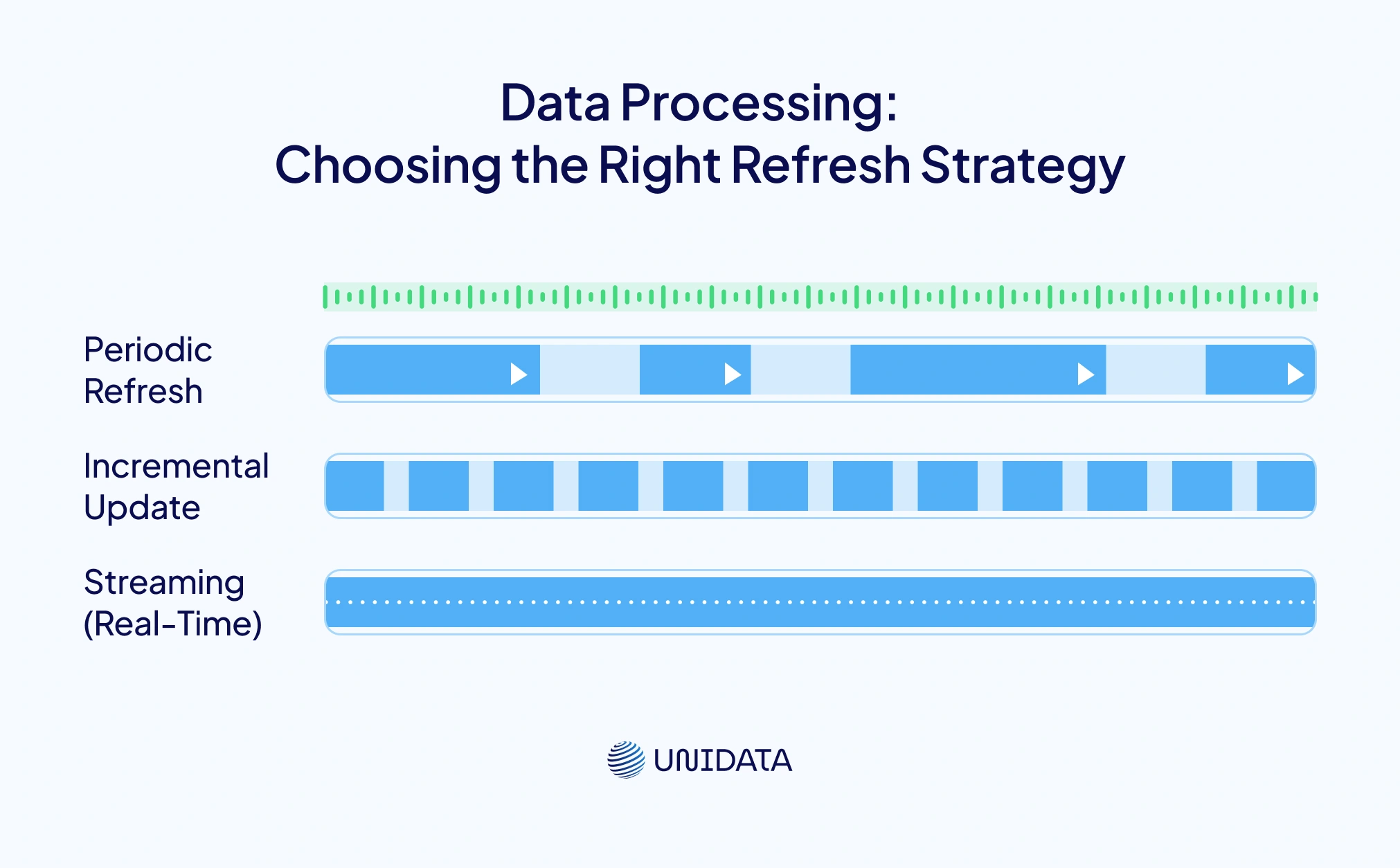
There are three main strategies for keeping data fresh: periodic refresh (batch), incremental update, and streaming. Each has trade‑offs in latency, complexity and cost.
| Refresh Strategy | Description | Typical Latency | Complexity | Best For |
|---|---|---|---|---|
| Periodic Refresh (Batch) | Data pipelines run at fixed intervals (hourly, daily, weekly) and rebuild datasets or features. | Hours to days | Low to medium; easier to manage and schedule | BI dashboards, financial reporting, low‑risk ML models |
| Incremental Update | Pipelines process only new or changed records, reducing processing time. Data refreshes more frequently than full batch. | Minutes to hours | Medium; requires change‑data capture or timestamp tracking | Customer segmentation, CRM updates, targeted marketing |
| Streaming (Real‑Time) | Continuous processing of events as they arrive using technologies like Apache Kafka and Spark Streaming. | Seconds to minutes | High; requires complex infrastructure and state management | Fraud detection, recommendation engines, IoT analytics |
Selecting a strategy depends on budget, latency requirements and the business value of freshness. A streaming architecture may be overkill for daily sales reports but essential for online gaming leaderboards.
Ensuring Data Freshness: Tools, Policies and Best Practices
Keeping data fresh across multiple pipelines takes more than just good code. It requires the right tools, clear policies, and team-wide coordination. Here’s your practical toolbox:
- Define freshness SLAs – Work with stakeholders to set clear goals. Say things like, “Our marketing dashboard must show clicks within two hours,” or “Fraud alerts must process events within one minute.” Use terms like freshness, timeliness, and latency to frame expectations.
- Implement automated monitoring – Tools like Monte Carlo and Metaplane watch your pipelines for signs of staleness. They track data age and update frequency. If a table stops updating, alerts go straight to the right team (montecarlodata.com).
- Use incremental and streaming pipelines – Adopt change-data capture (CDC) and event-driven pipelines to cut delays. Apache Kafka and Spark Streaming can move data in near real time. Make sure pipelines are idempotent so retries don’t duplicate records (elementary-data.com).
- Establish data governance – Keep a catalog that lists how often each table should refresh, when it was last updated, and what depends on it. Elementary Data recommends focusing on your most critical data sources and enforcing clear refresh rules (elementary-data.com).
- Choose the right storage – Real-time apps may need fast in-memory stores or key–value databases. For analytics, slower — but cheaper — data warehouses may be fine. Match your tools to the workload.
- Monitor external dependencies – Third-party data comes with delays. GA4’s intraday data may take 2–6 hours to finalize (support.google.com). Design your dashboards to flag partial data, or use daily exports when accuracy is critical.
- Establish a freshness policy – Write clear rules across your teams. Include when to use batch vs. streaming, how to flag delayed sources, and who owns freshness checks. A documented policy keeps everyone aligned.
The Risks of Stale Data and Benefits of Staying Up to Date
Letting data go stale comes with real risks:
- Decision delays – Old dashboards slow down response time. That delay can mean lost revenue.
- Model drift – When models train on outdated data, predictions suffer. This can lead to bad loans or weak product suggestions.
- Cost inefficiency – Running heavy ML models on old data wastes compute time. It also means you’ll retrain more often than needed.
- User frustration – In user-facing apps, delays or bad outputs break trust. Sifflet shares examples like flight reroutes from stale weather data or faulty goods caused by old sensor feeds.
- Compliance risk – Regulated sectors must prove they use current, consistent data. If not, they risk breaking laws around fairness or privacy.
But there’s good news. Staying current brings major upsides. You’ll get more value from ML investments. Your team can ship faster. And your customers stay happy. Fresh data keeps your models sharp and your business ahead of trends.
Real‑World Use Cases
- Fraud detection – Payment companies scan live transaction streams to catch fraud. But if features like location or spend averages rely on old data, bad behavior can go unnoticed. Tecton confirms that stale features often hide fraud signals (tecton.ai).
- Recommendation engines – Streaming user actions into a feature store powers real-time personalization. Even if full streaming isn’t an option, hourly updates still beat daily refreshes. Netflix and Spotify use this approach to stay relevant.
- Face recognition and access control – Security systems must add new faces quickly. If the face database updates weekly, new hires might get locked out. Freshness helps prevent both false rejects and false accepts.
- Supply-chain optimization – Logistics teams rely on sensor data to track shipments. When data flows in real time, they can reroute goods or fix delays. For fragile or time-sensitive products, daily batches just won’t cut it.
Data Timeliness and Business Needs
Not every use case needs real-time data. For example, a marketing dashboard might be fine with a 24-hour delay. But a trading model needs updates every second. Google Analytics 4 shows how different metrics process at different speeds — some update every few hours, while others finalize once per day. Understanding these differences helps avoid over-engineering your data stack.
Frequently Asked Questions (FAQ)
Data freshness describes how well your data reflects the current state of reality at the moment it’s used by a model, dashboard, or downstream system. It’s related to time, but not identical to latency (delay in availability), timeliness (whether data arrives within an expected window), or recency (how recently it was collected). In practice, teams can have low latency (fast pipelines) and still serve stale outputs if freshness isn’t monitored end-to-end.
Models degrade when the data they consume today drifts away from what they were trained on, which contributes to data drift and downstream model performance drop in production. Fresh inputs help keep features aligned with real-world behavior, especially in time-sensitive use cases like fraud detection, recommendations, and operational forecasting. Freshness is also a core pillar of data observability, because “quiet failures” (pipelines running but delivering old data) can look healthy unless you explicitly track freshness signals.
Most teams track freshness with a small set of metrics that map cleanly to SLAs/SLOs:
- Data age: how old the newest valid record is (based on event timestamp).
- Source-to-destination lag: time from upstream event creation to availability in the warehouse/lake/feature store.
- Update frequency / expected cadence: whether tables refresh as often as they should. These metrics are typically paired with alerting and ownership (who gets paged when freshness breaches).
Feature freshness is the “age” of feature values at the moment a model scores a request, often defined relative to event time (not just ingestion time). Keeping features fresh usually means designing the right refresh strategy (batch vs incremental vs streaming), using reliable recomputation, and enforcing freshness SLAs/SLOs for the online path (feature store, real-time pipelines, serving layer). The goal is simple: ensure the inference pipeline consistently serves up-to-date feature values that match the decision window your product needs.